Logitech MX Keys S Wireless Keyboard Review
Logitech MX Keys S Wireless Keyboard Review
I love keyboards. In particular I like slim, stiff keyboards. So, in this post we will review the Logitech MX Keys S Wireless Keyboard. In doing so, we will compare it to the Apple Magic Keyboard with Touch ID. I’ve used both of these keyboards extensively and I love them both. Note, we may get paid from some of these links.
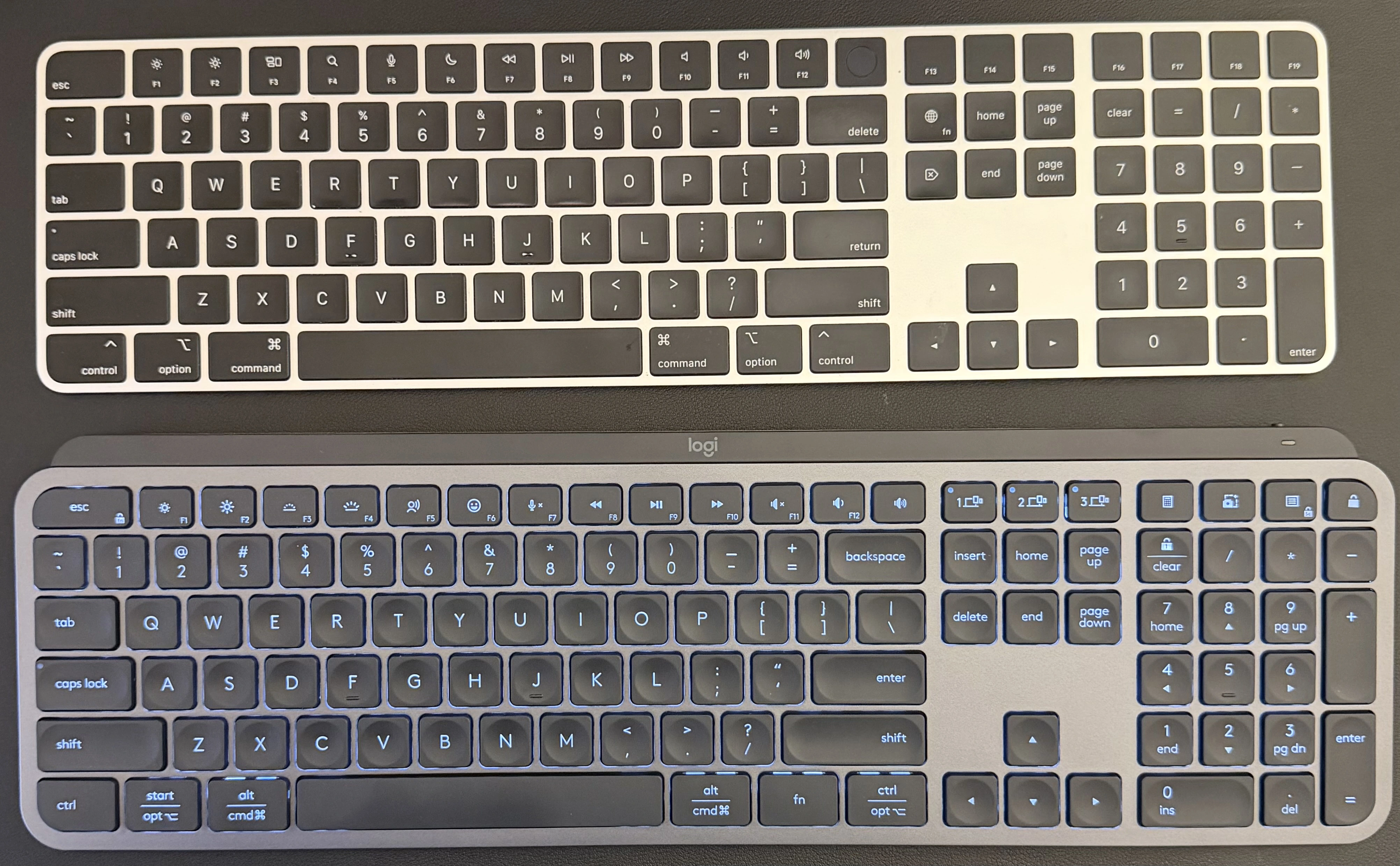
Comparison Table
| Feature | Apple Magic Keyboard | Logitech MX Keys S |
|---|---|---|
| Design & Build | Ultra-slim, minimalist aluminum design. Very lightweight. | Low-profile but more substantial build. Heavier and more desk focused. |
| Typing Experience | Shallow scissor switches with short key travel. Crisp but very low profile. | Low-profile scissor switches with concave keycaps for fingertip fit. Slightly deeper and more cushioned feel. |
| Backlighting | ❌ No backlighting | ✅ Smart backlighting (auto-adjusting + hand proximity detection) |
| Connectivity | Bluetooth only | Bluetooth + Logi Bolt (depending on SKU) |
| Multi-Device Support | Manual re-pairing required | Dedicated Easy-Switch keys (up to 3 devices) |
| Programmable Keys / Macros | ❌ No customization | ✅ Customizable via Logi Options+ (Smart Actions) |
| Battery Life | ~1 month per charge | ~10 days with backlight on, up to 5 months with backlight off |
| Charging Port | USB-C (Lightning on older models) | USB-C |
| Numeric Keypad | Optional extended version | Included on full-size model |
| OS Compatibility | Best for macOS / iPadOS | macOS, Windows, Linux, ChromeOS, iPadOS, Android |
| Weight & Portability | Very portable | Heavier, better suited for fixed desk setup |
Key Differences Explained
1. Backlighting & Productivity
The MX Keys S includes adaptive smart backlighting that turns on when your hands approach and adjusts brightness automatically. This makes it significantly better for late-night or dimly lit environments.
The Magic Keyboard does not include backlighting, which may be a deal-breaker depending on your workspace.
2. Ecosystem Integration
If you live entirely inside the Apple ecosystem, the Magic Keyboard feels completely native:
- Perfect macOS key layout
- Instant pairing
- Consistent modifier behavior
The MX Keys S supports multiple operating systems and lets you toggle between them easily. If you switch between a Mac, Windows workstation, and maybe a Linux box, it’s far more flexible.
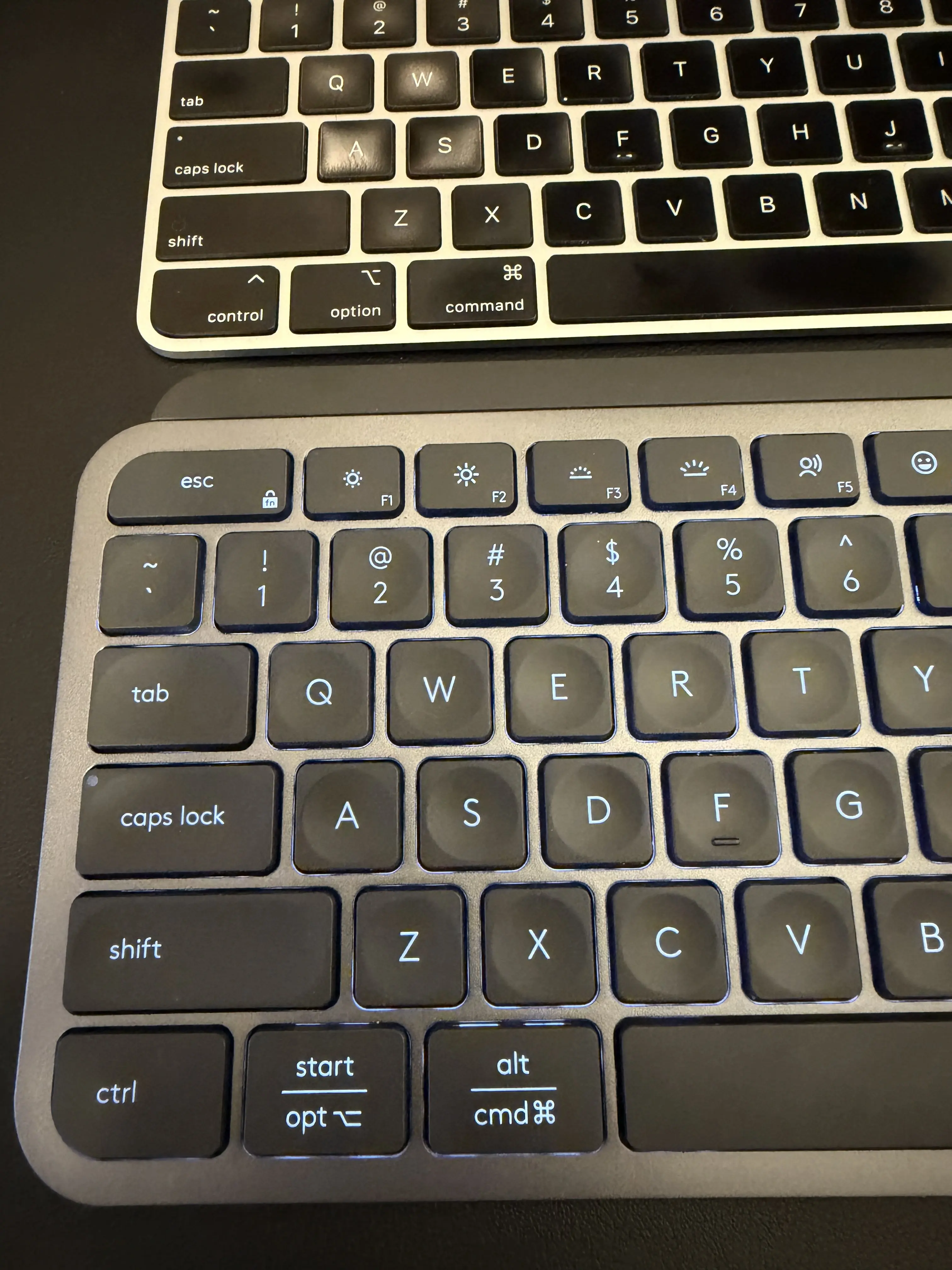
3. Typing Feel
- Magic Keyboard: Extremely shallow travel. Clean, precise, but very low profile.
- MX Keys S: Slightly deeper and softer keystrokes with concave keycaps that reduce mistypes during long sessions.
For extended typing sessions, like coding or writing reports, I prefer the MX Keys S due to reduced finger fatigue.
4. Multi-Device Workflows
This is a major differentiator.
The MX Keys S:
- Connects to 3 devices simultaneously
- Switches instantly with dedicated hardware buttons
The Magic Keyboard:
- Requires manual Bluetooth switching
If you regularly move between machines, Logitech wins here.
5. Battery Life
- Magic Keyboard: ~1 month per charge.
- MX Keys S: ~10 days with backlighting on, but up to 5
4. Fingerprint Reader
This is a big one. If you are using a Mac, the Logitech MX Keys S Wireless Keyboard does not have a fingerprint reader, and for me, this is a deal breaker. As far as I know, you MUST have a Magic Keyboard if you want to use fingerprint auth on MacOS (must purchase the Touch ID version). That is, if you need some sort of external fingerprint reader (modern MacBooks have them built it). Alternatively, you could use an Apple Watch
Overall Winner
If you aren’t on Mac, the Logitech MX Keys S Wireless Keyboard is the clear winner.
If you’re on Mac and need a fingerprint reader, the Magic Keyboard with Touch ID is the clear winner. Otherwise, go with the Logitech.