Dell Pro Thunderbolt 4 Smart Dock - SD25TB4 Review (2026)
Introduction
The Dell Pro Thunderbolt 4 Smart Dock - SD25TB4 is engineered for serious multi-display setups, perfect if you’re in creative, data-intensive, or AI workflows. With its ability to support up to four 4K monitors via various output ports, it aims to tackle the challenges of workspace efficiency without the cable clutter. For the deep dive into its features and technical specs, check out more info on the official site ! .
You can also find it available for purchase here ! .
It is a little on the expensive side at $250 on Amazon (it’s actually $400 on Dell’s site), if you aren’t going to use all the needed features. Maybe ask your work to get it for you? Haha.
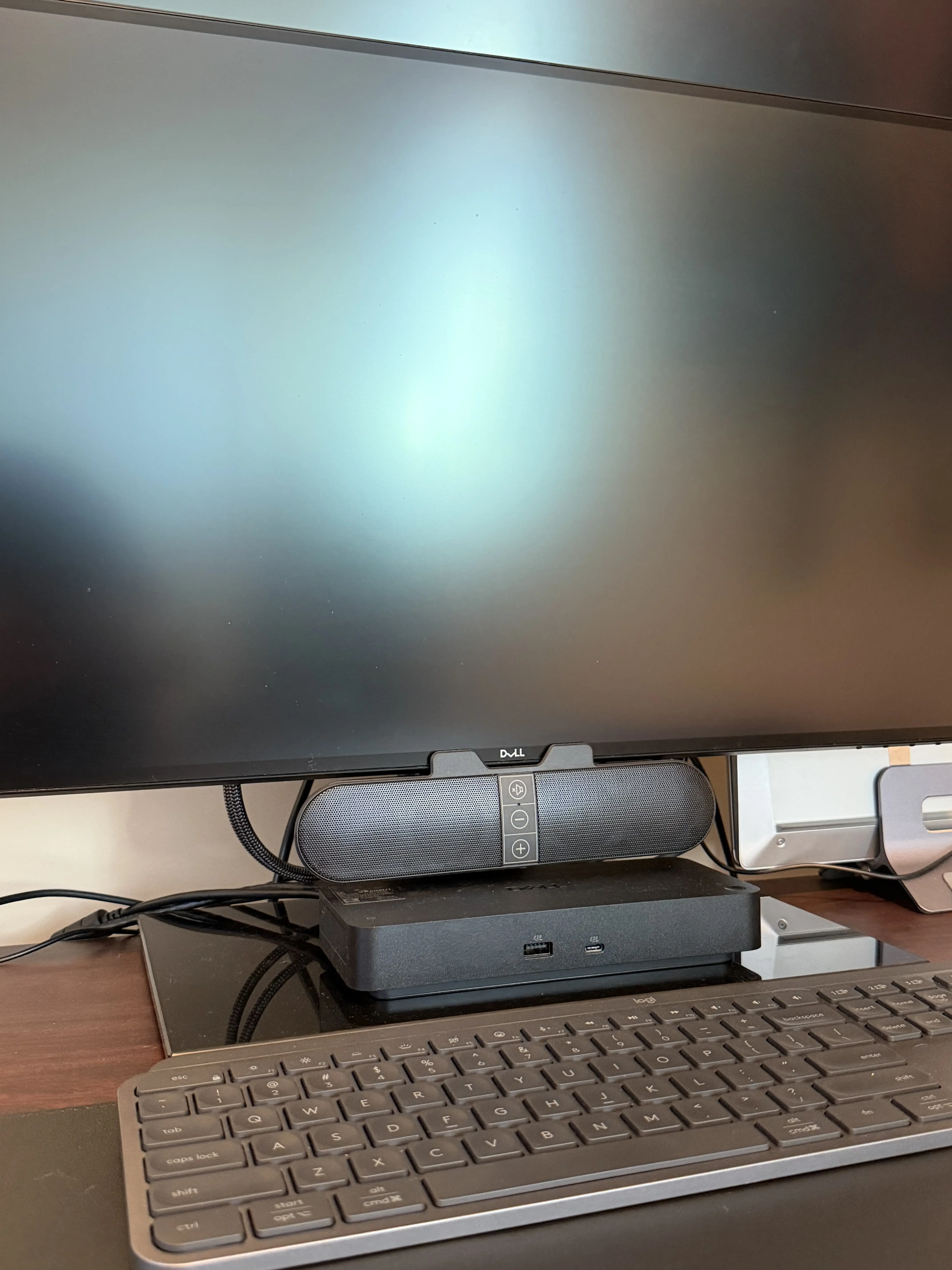
We here at techreport.io use this exact dock to drive 2x 4K Dell 27” Ultrasharp monitors and it works like a dream.
Design and Build That Actually Matter
Let’s break down the key aspects of the Dell Pro Thunderbolt 4 Smart Dock. With Thunderbolt 4 technology at its core, you can expect dual data ports and support for dual 4K video outputs. This level of connectivity typically allows users to daisy-chain up to six devices, making it an attractive option for those needing a robust dock with space for future hardware additions.
The dock’s power delivery - up to 130W for Dell laptops and 96W for others - means smooth operation without the hassle of multiple cables. This is particularly crucial for anyone managing a tangle of devices. The overall construction also emphasizes a sustainable approach, composed of 65% recycled plastics and 100% recycled packaging. While I appreciate eco-friendly designs, I’ve seen striking trade-offs in build quality before; it’s important to see how durable this design holds up in the real world.
Real-World Performance Expectations
Considering the hardware class, performance levels should be exceptional for the intended usage scenarios. For example, running multiple 4K displays shouldn’t introduce noticeable latency, which is often a concern with non-Thunderbolt docks using standard USB-C. This dock should handle high - throughput data transfers with ease, supporting up to 40 Gbps on Thunderbolt 4 connections - ideal for transferring large files quickly between external drives and a primary workstation.
Another scenario is remote Wi-Fi management. Dell’s remote management feature allows IT administrators to manage the dock through Intel AMT on supported vPro laptops. Management traffic can traverse the laptop’s Wi-Fi connection, allowing firmware updates and inventory without relying on wired Ethernet.
What to Test and Our Notes
If you have this dock for testing, here is what you should look at:
- Latency across multiple 4K displays: Ensuring fluid operation when all four displays are connected. We’ve noted no noticable latency.
- Power delivery: Testing the actual charging performance across different laptop models to confirm efficiencies. It has powered both Dell (including Pro models that cost updwards of 10k USD) and HP laptops reliably.
- Daisy-chaining capabilities: Checking how many devices can be reliably connected without performance degradation.
- Thermal performance under load: Observing if the dock overheats when heavily utilized in a workstation setting. We’ve noticed no performance degradation under load.
Pros
###
- Powerful multidisplay support: Efficiently manages multiple 4K outputs, perfect for demanding visual tasks.
- High-performance charging: The 130W power delivery can handle not just Dell devices but a range of laptops.
- Thunderbolt 4 enhancement: Dual data connection ports allow for additional peripheral attachment, keeping your workspace flexible.
- Sustainable design: The dock is made from recycled materials, appealing to eco-conscious consumers.
Cons
###
- Limited public firmware transparency: Lack of clear update schedules can make users wary regarding long-term support.
- Dependence on USB-C ecosystem: Users without USB-C devices may find it less beneficial, compared to more universal options.
Best For
This dock truly shines for professionals engaged in video production, data analysis, or software engineering that require extensive multi-monitor setups. It’s also great for individuals who want a sleek workspace uncluttered by multiple chargers.
When Not to Buy
This product isn’t ideal for everyone. If you rarely use multiple displays or work primarily on a single screen, the capabilities will exceed your needs, leading to wasted potential and funds. Similarly, if your current devices don’t have robust USB-C compatibility, you’re better off considering dock options that favor legacy connections or a simple USB hub.
Alternatives
If you’re a home user, check out this one that is similar spec-wise (two monitors), but has fewer enterprise features:
Or, maybe you need the latest, most powerful devices? There is an SD25TB5 ready for you! And we at techreport.io LOVE IT.
Final Verdict
In conclusion, I strongly recommend the Dell Pro Thunderbolt 4 Smart Dock - SD25TB4 for users who demand performance and flexibility in their workflow. Its ability to power multiple 4K displays alongside high charging efficiency solidifies its standing as an industry-leading product. However, for those who do not require extensive connectivity or high-resolution outputs or lack the necessary hardware to exploit its full potential, it may not justify the investment. For serious professionals focused on maximizing multi-display functionality and fast device charging, this dock is a good choice. Check it out here ! !